Skip to content

The Real Estate Chief of Staff · $29

Give AI the context it needs.

Install the files, prompts, and Command Center that keep Claude or Codex grounded in your active contacts, listings, priorities, and voice.

Command Center

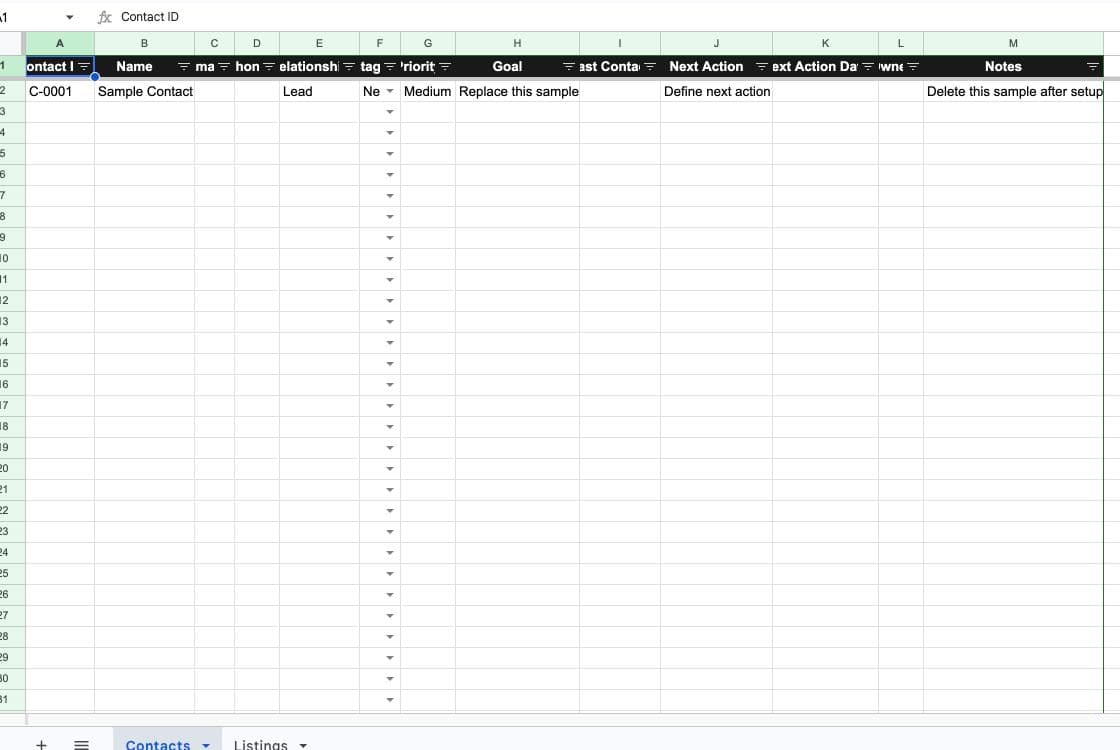
The Real Estate Chief of Staff Command Center showing the Contacts workspace

Prompt 1 of 14

Weekly Chief of Staff Brief

14

workflow prompts

4

knowledge files

2

Command Center tabs

9

Start Here sections

14-day fit guarantee. One-time payment. Immediate access.

Secure Stripe checkout. No subscription.

Portable across file-capable AI assistants

Claude
ChatGPT
Gemini

See exactly what ships

A system, not prompts

The instruction file, source templates, prompt sequence, and sheet are designed to work together. These are the delivered artifacts, not concept mockups.

Two-tab Command Center

Contacts and Listings, delivered as a working Google Sheet

The Real Estate Chief of Staff Command Center with a sample contact row

Prompt 1 of 14

Weekly Chief of Staff Brief

Review the active Contacts and Listings tabs plus the knowledge files. Give me the three outcomes that matter most this week, deadlines and risks, stalled records, the next action and owner for each priority, and any missing information. Separate facts from recommendations.
Knowledge scaffold

  • 01-chief-of-staff-instructions.md
  • 02-prompt-library.md
  • knowledge/team-profile.md
  • knowledge/market-brief.md
  • knowledge/voice-file.md
  • knowledge/offer-file.md

Start with the complete system

Immediate access to the guide, files, and Command Center.

The first useful run

Your first working week

01

Complete the context

Fill in the team, market, voice, and offer files. Mark unknowns instead of letting the assistant guess.

02

Load active work

Add five active contacts and every active listing to the two-tab Command Center.

03

Run the brief

Get three priorities with owners, deadlines, risks, and the source behind every recommendation.

Use the tool you know

Choose your setup

Pick one path. Each setup uses the same operating files and includes a first-run check so you can confirm the context is installed.

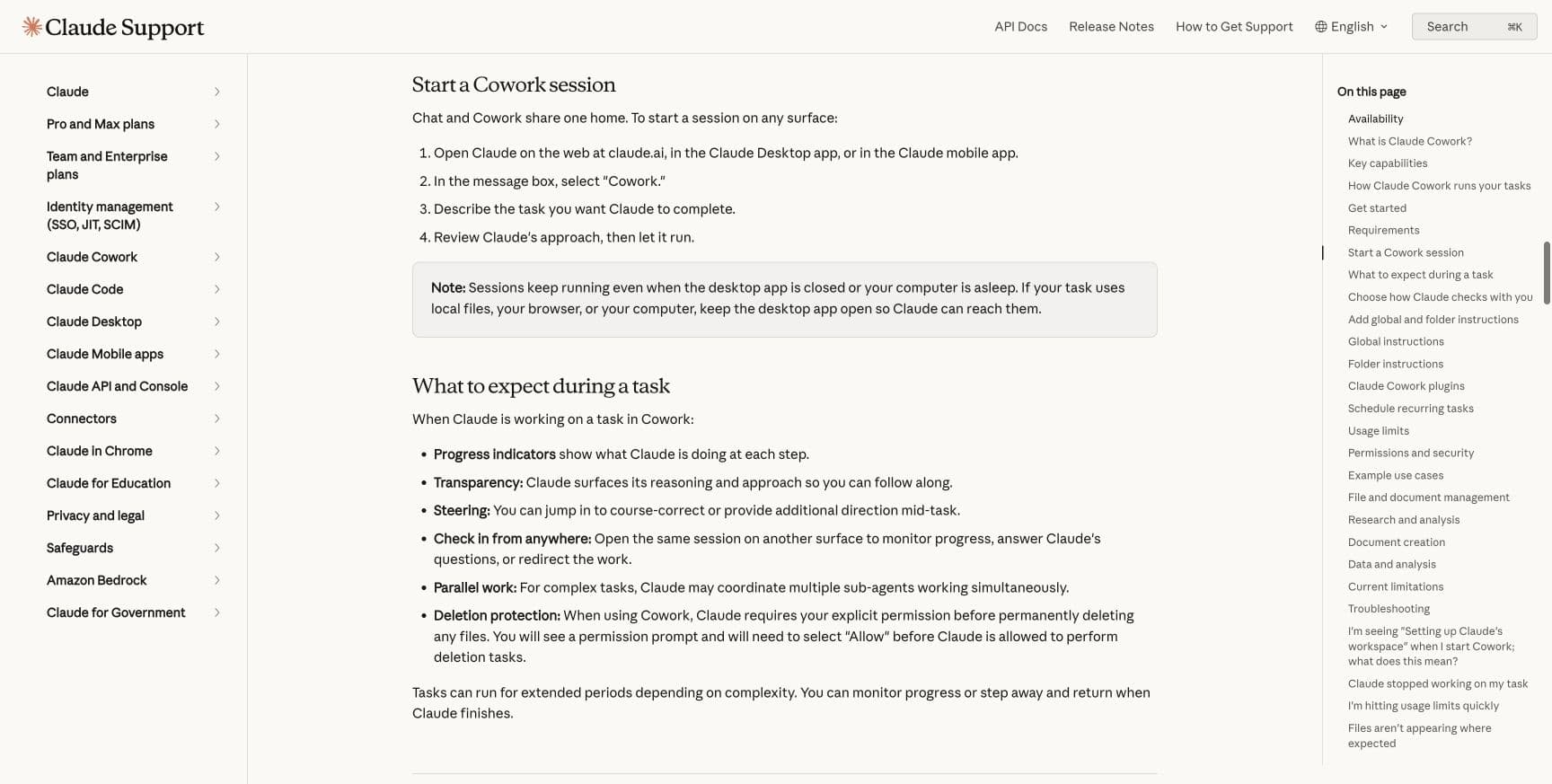
Official Claude documentation showing how to start a Cowork session

Claude Cowork

Recommended

About 5 minutes

The simplest folder-based workflow

Give Cowork access to the kit folder and add the included workspace instructions.

Official setup documentation shown above

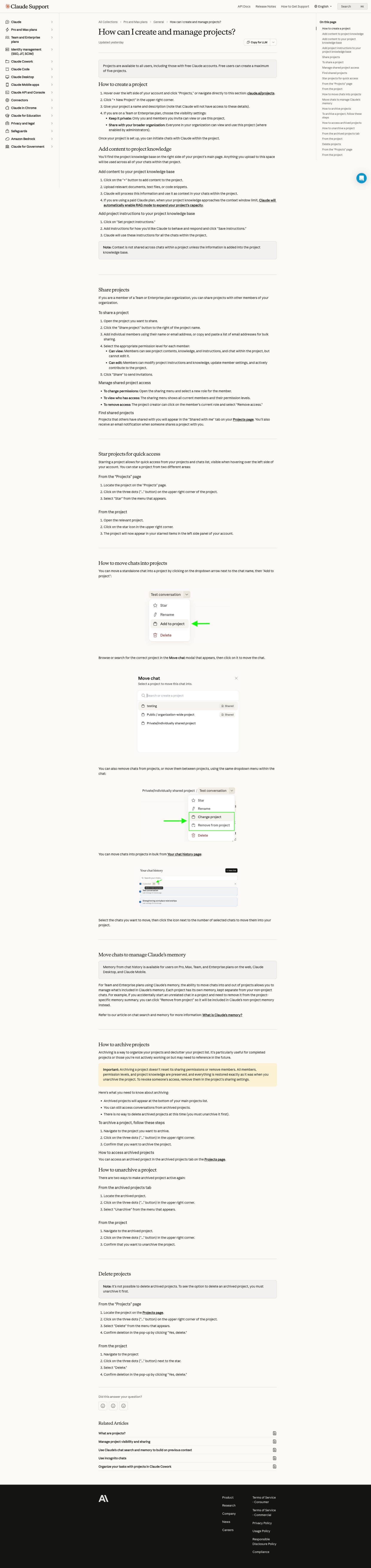
Official Claude documentation showing project setup and project knowledge

Claude Projects

About 10 minutes

A reusable browser workspace

Upload the knowledge files and prompt library, then paste the project instructions.

Official setup documentation shown above

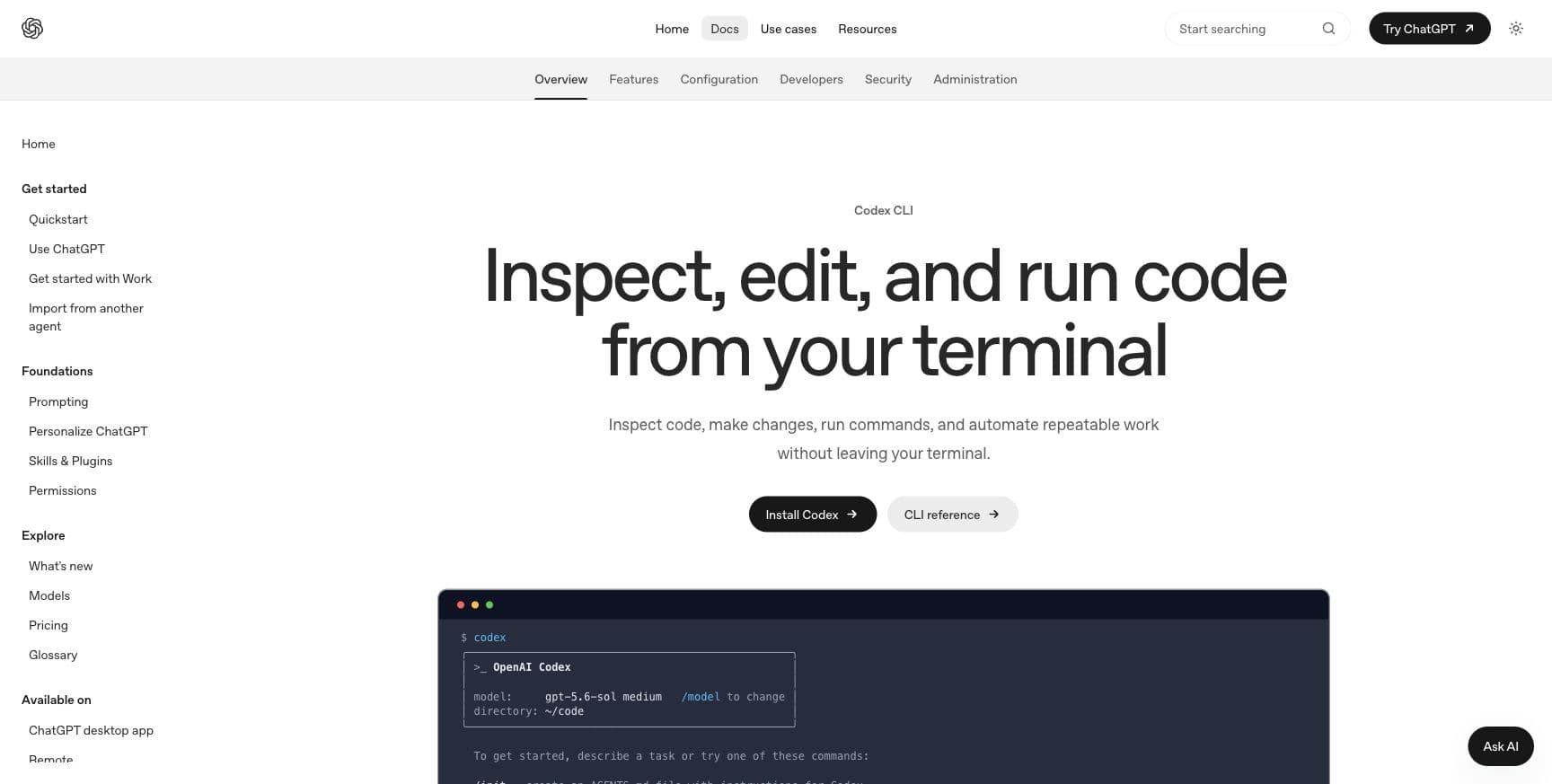
Official OpenAI documentation showing the Codex command-line interface

Codex

About 10 minutes

File-based work that benefits from visible changes

Open the kit folder with its AGENTS.md file, then begin with the read-only setup audit.

Official setup documentation shown above

The honest objection

Why not just ask?

You can ask Claude to make any one of these pieces. This kit gives it the assembled system: instructions, source files, prompt sequence, and sheet, already shaped around a real estate desk.

The model is not the product. The fit between the files is. Buy it if you would rather install and adapt the workflow than design it from scratch.

Who it helps

  • Solo agents who need a more consistent weekly operating rhythm
  • Small real estate teams that want one shared context layer for AI-assisted work
  • Operators willing to maintain a few source files and review every external action

Who should skip it

  • Teams looking for a fully managed implementation
  • Anyone expecting AI to replace brokerage, legal, or compliance review
  • Anyone unwilling to keep source information current

Before checkout

Questions before you buy

Why not just ask Claude to build this?
You can build it yourself. What you are buying is the assembled workflow: the instruction file, four knowledge templates, 14 workflows, a two-tab Command Center, and three installation paths that work together.
Do I need every AI tool in the guide?
No. Choose Claude Cowork, Claude Projects, or Codex. The operating files work across all three paths.
Does this connect to my CRM?
No automatic integration is required. The included Command Center is a lightweight working layer you can use beside your existing CRM.
Can the assistant publish or contact clients for me?
The instructions explicitly require human approval before any message, publication, purchase, or external system change.
How is the product delivered?
After Stripe confirms payment, the receipt and verified thank-you page provide the public read-only Drive folder and Start Here guide.
How does the 14-day guarantee work?
Use the kit in your real estate workflow. If it is not a fit, reply to your receipt within 14 calendar days of purchase for a full refund.

Immediate access after payment

Start with better context

Install one path, complete the four source files, and run your first weekly brief.

14-day fit guarantee. One-time payment. Immediate access.

Want the system installed for your team?